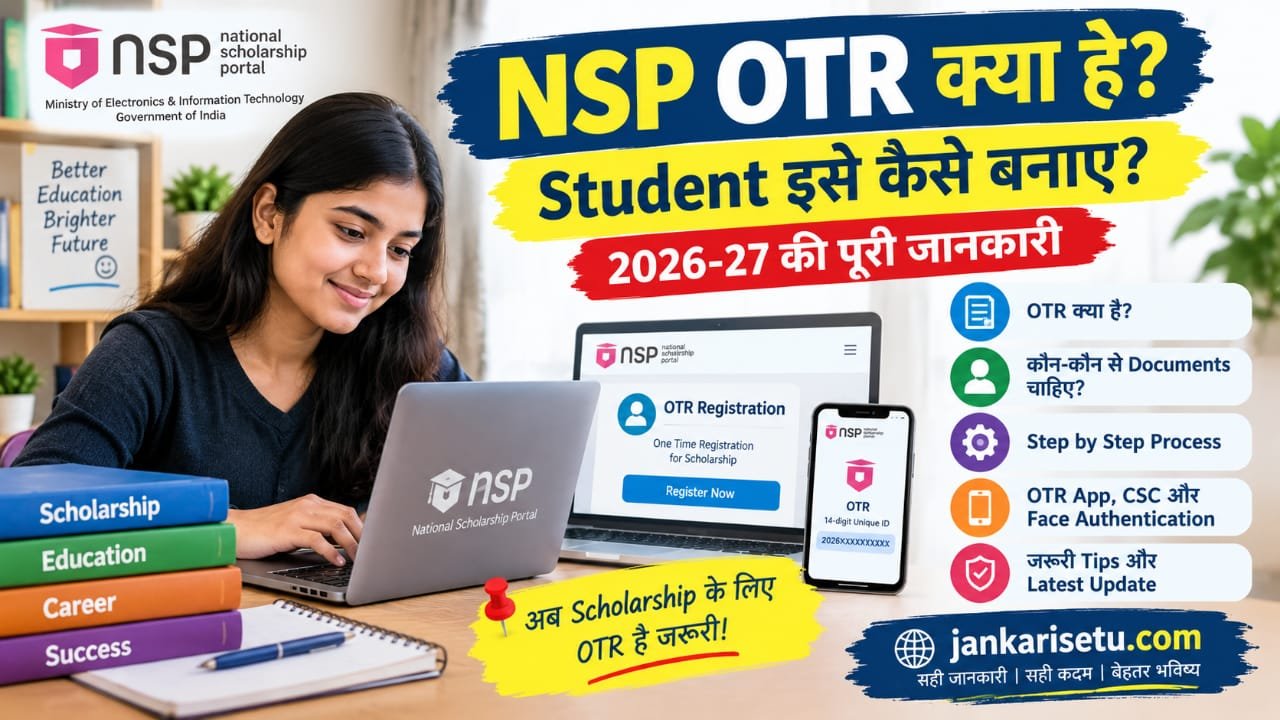
NSP OTR क्या है? Student घर बैठे OTR कैसे बनाए, जानें पूरा Process
Category: Education
👁️ Views: 342
Written by bheem
अगर आप NSP Scholarship 2026-27 के लिए आवेदन करना चाहते हैं, तो सबसे पहले आपको OTR यानी One-Time Registration करना होगा। NSP के अनुसार OTR scholarship आवेदन के लिए जरूरी है और इससे Student को एक 14-digit unique OTR number मिलता है।
यह OTR number Student के पूरे academic career के लिए काम करता है। यानी हर बार नई scholarship के लिए अलग OTR बनाने की जरूरत नहीं होती।
OTR क्या होता है ?
OTR का पूरा नाम One-Time Registration है।
यह National Scholarship Portal पर Student की एक unique पहचान होती है। OTR बनने के बाद इसी OTR ID और password से NSP पर scholarship application भरा और उसका status check किया जा सकता है।
NSP के अनुसार OTR एक 14-digit number है, जो Aadhaar या Aadhaar Enrolment ID (EID) के आधार पर generate किया जा सकता है।
NSP OTR 2026-27 Latest Update
Academic Year 2026-27 के लिए NSP portal 1 जून 2026 से खुला हुआ है।
NSP ने साफ किया है कि scholarship के लिए OTR जरूरी है। OTR बनने के बाद Student अपनी eligible scholarship scheme के लिए application कर सकता है।
एक और जरूरी update यह है कि 2026-27 से Student एक merit-based scholarship और एक या अधिक welfare-based scholarship के लिए आवेदन कर सकता है, लेकिन इसके लिए संबंधित schemes की eligibility conditions पूरी करना जरूरी है। इसका मतलब यह नहीं है कि हर Student को automatically multiple scholarships मिलेंगी।
NSP OTR बनाने के लिए क्या चाहिए ?
OTR registration करते समय सामान्य तौर पर Student को Aadhaar/Aadhaar Enrolment ID से संबंधित जानकारी और authentication की जरूरत पड़ सकती है।
NSP ने OTR generation के लिए अपना NSP OTR App भी उपलब्ध कराया है।
अगर face authentication में समस्या आती है, तो Aadhaar से संबंधित biometric lock/unlock status भी check करना जरूरी हो सकता है। NSP ने बताया है कि Aadhaar biometric locked होने पर face authentication fail हो सकता है।
NSP OTR कैसे बनाएं ?
OTR बनाने के लिए ये basic steps follow करें:
Step 1: NSP की official website खोलें
सबसे पहले National Scholarship Portal की official website खोलें।
Website पर Student section में जाकर OTR Registration का option चुनें। NSP की official site पर OTR registration उपलब्ध है।
Step 2: OTR Registration शुरू करें
OTR Registration option पर जाने के बाद portal द्वारा मांगी गई जानकारी भरें।
Aadhaar या Aadhaar Enrolment ID के आधार पर registration process आगे बढ़ाया जा सकता है।
Step 3: Authentication पूरा करें
Registration के दौरान authentication process पूरा करना होता है।
NSP ने OTR के लिए face authentication से संबंधित सुविधा और troubleshooting information भी दी है।
Step 4: OTR Number प्राप्त करें
Authentication और registration process सफल होने के बाद Student को उसका 14-digit OTR number मिलता है।
इस OTR number को सुरक्षित रखें क्योंकि आगे NSP scholarship application के लिए इसकी जरूरत होगी।
Step 5: Scholarship के लिए Apply करें
OTR मिलने के बाद Student अपने OTR ID और password से NSP पर login करके अपनी eligibility के अनुसार scholarship scheme चुन सकता है।
इसके बाद scholarship application form में मांगी गई जानकारी भरकर application submit करें।
OTR बनने के बाद क्या करना है ?
सिर्फ OTR बनाना ही scholarship application पूरा करना नहीं है।
OTR बनने के बाद आपको अपनी eligible scholarship scheme चुनकर Fresh या Renewal application पूरा करना होगा।
Application submit करने के बाद उसका status भी NSP portal पर check किया जा सकता है।
OTR बनाते समय Face Authentication Fail हो तो क्या करें ?
अगर face authentication बार-बार fail हो रहा है तो सबसे पहले यह check करें कि Aadhaar biometric locked तो नहीं है।
NSP के अनुसार Aadhaar holder का biometric locked होने पर face authentication में समस्या आ सकती है। ऐसे मामले में mAadhaar या My Aadhaar के माध्यम से biometric lock/unlock status check किया जा सकता है।
NSP ने यह भी बताया है कि Error 904 आने पर UIDAI Aadhaar Face RD App को Play Store से update करने की जरूरत हो सकती है।
Face authentication के दौरान अच्छी lighting रखें और चेहरा camera के सामने साफ दिखाई देना चाहिए। UIDAI के अनुसार face capture के दौरान चेहरा frame में स्पष्ट होना और पर्याप्त रोशनी होना जरूरी है।
NSP OTR का Official Link
Student को OTR और scholarship application के लिए हमेशा National Scholarship Portal की official website का ही इस्तेमाल करना चाहिए।
Official NSP: OTR Registration Now
OTR Registration: NSP OTR Registration
🏷️ Tags
OTR kaise banayen New registration kaise kren← Back to Blog
📤 Share this Post
WhatsApp Facebook XLeave a Comment
Comments
No comments yet.
Related Posts

DigiLocker 2026: मार्कशीट और सरकारी दस्तावेज मोबाइल में कैसे डाउनलोड करें? जानें पूरी प्रक्रिया
Read More
APAAR ID Card कैसे बनाएं? जानें रजिस्ट्रेशन, जरूरी दस्तावेज और DigiLocker में डाउनलोड करने का तरीका
Read More